
Products · Crowmail
 CROWMAILby Digital Supportly
NewEarly access
Quote requests come in by email. Crowmail answers them with a priced quote.
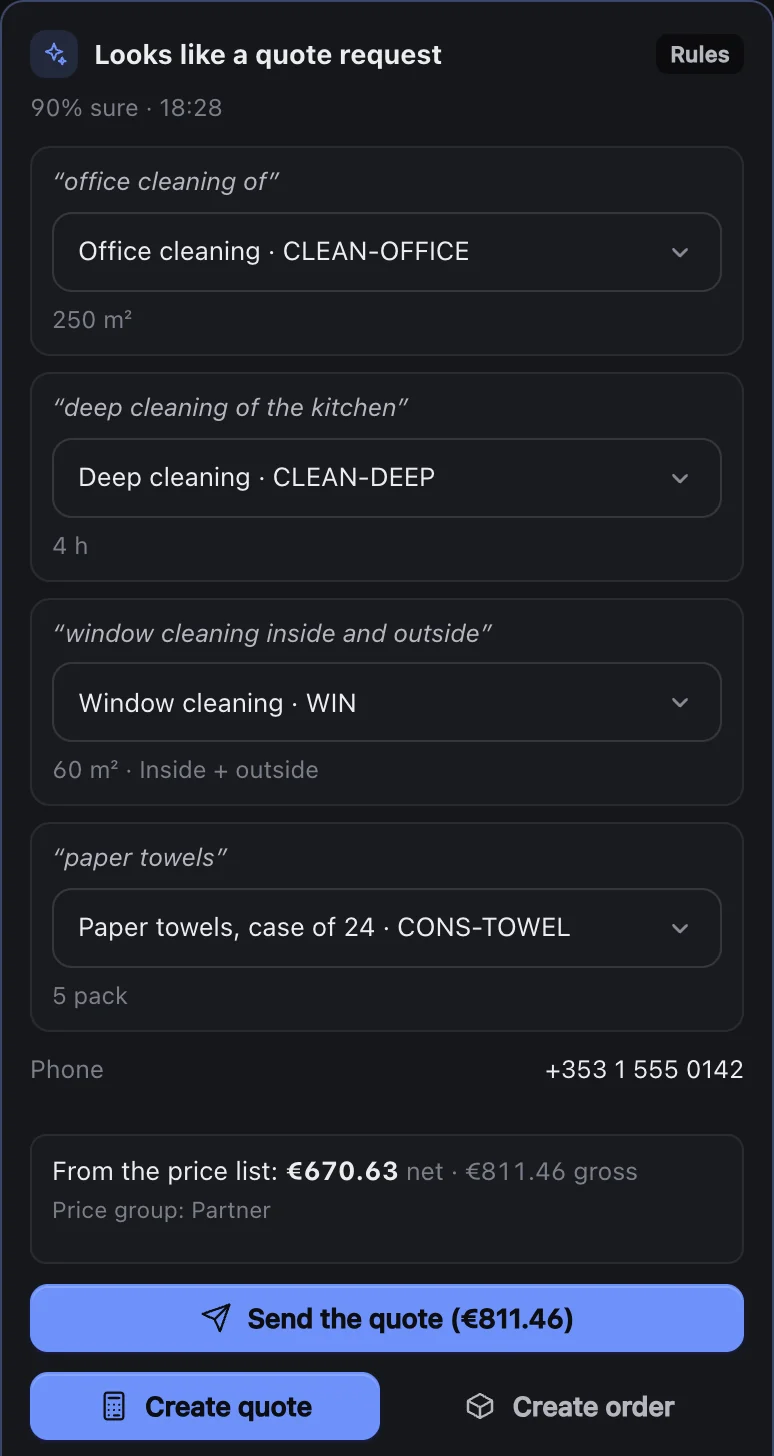
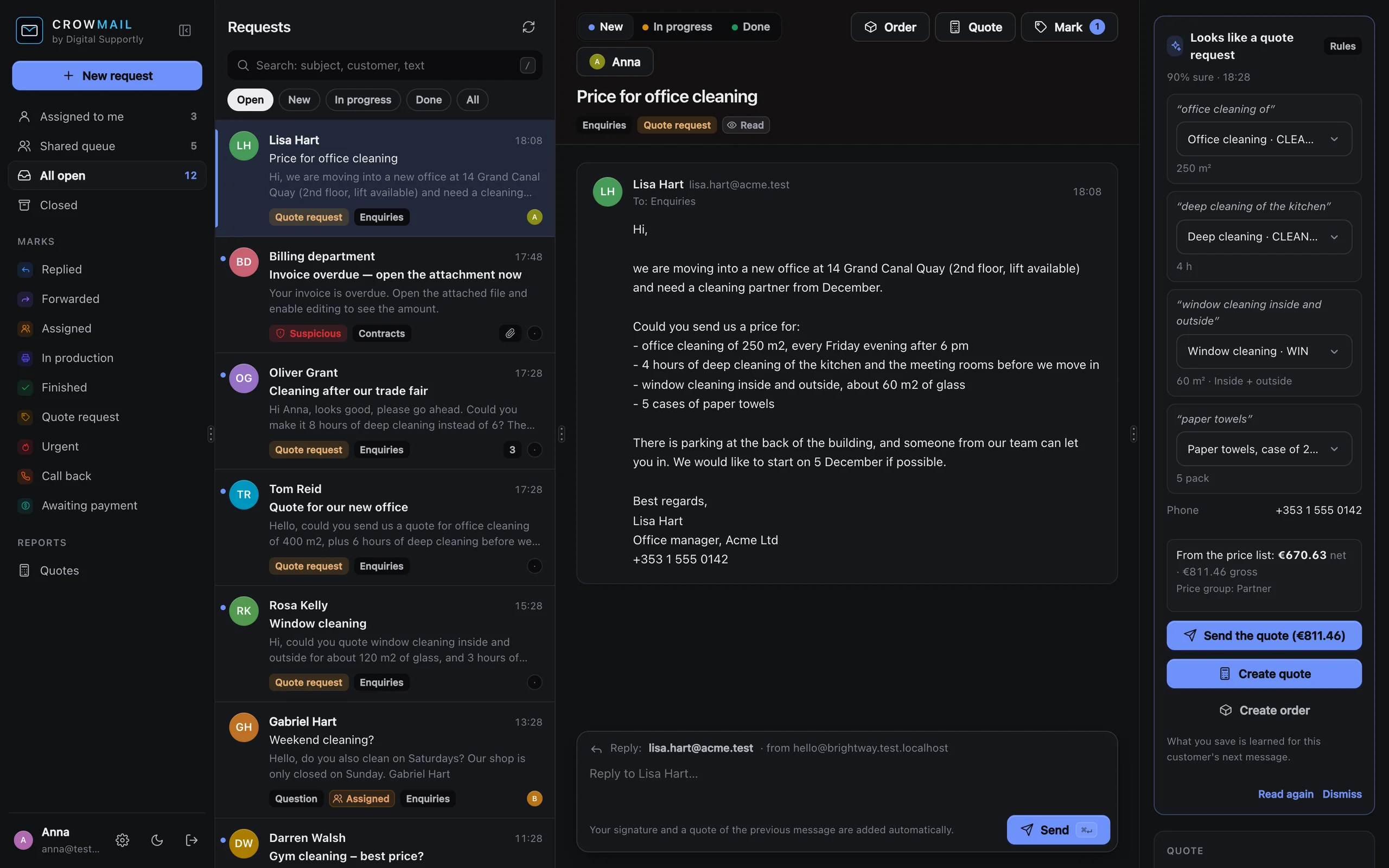
Paste the customer’s email, or send them your request link. Crowmail reads the request, prices it from your own price list and drafts the quote. You check it and send it with one click; your customer accepts online.
- Your own price list
- No mailbox access
- €49 a month, unlimited users
Paste it, or let them ask.
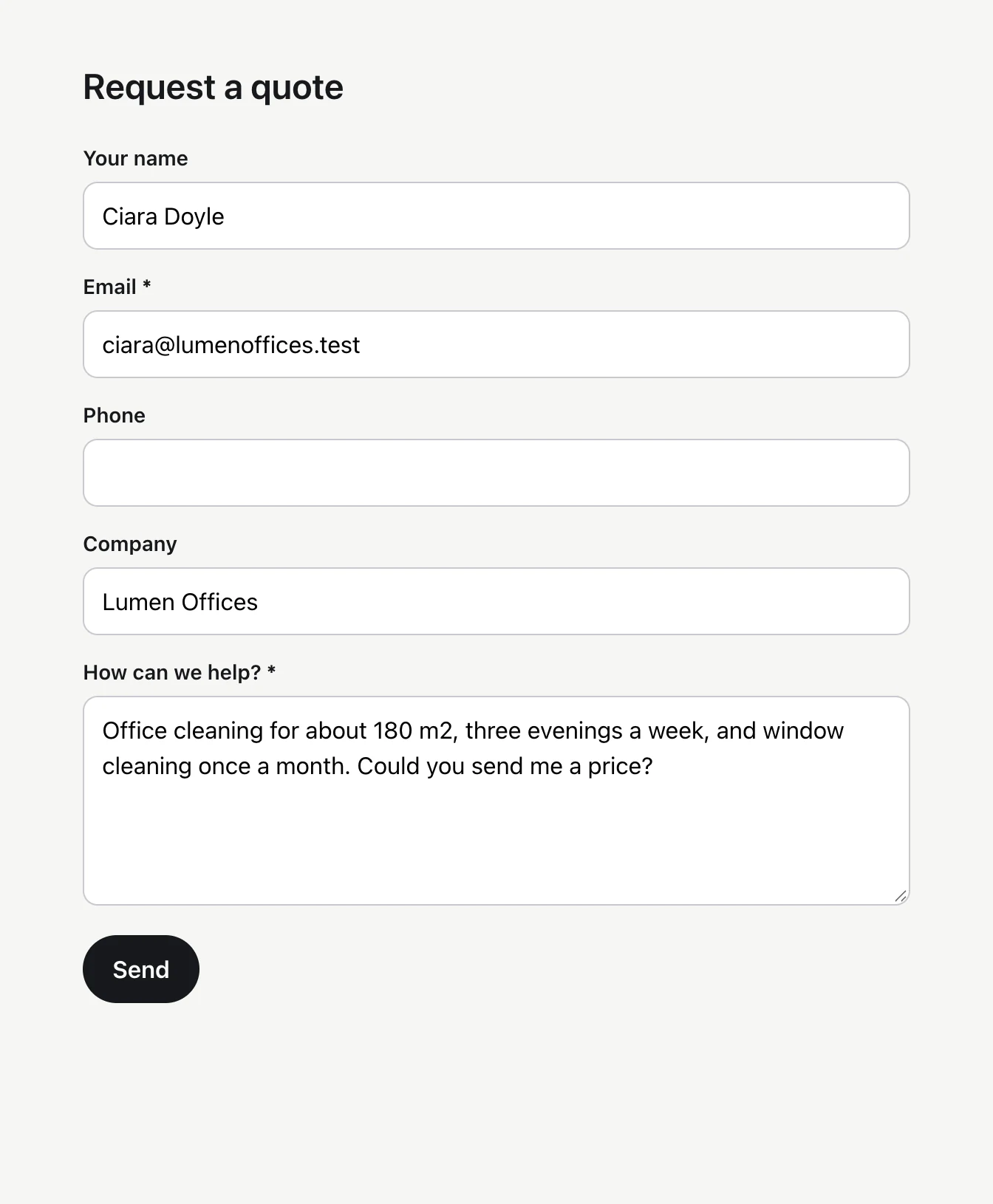
Crowmail never needs your mailbox. Copy a quote request from your email and paste it in – the customer, the subject and what they ask for are found for you. Or share your request link, and your customers ask for a quote themselves.
- Paste any email, from any mail program
- A request link for your website, email signature or Facebook page
- No website editing – the link is enough
- Every request is read and priced the same way
- Your mailbox and its password stay with you
Check it, change it, send it.
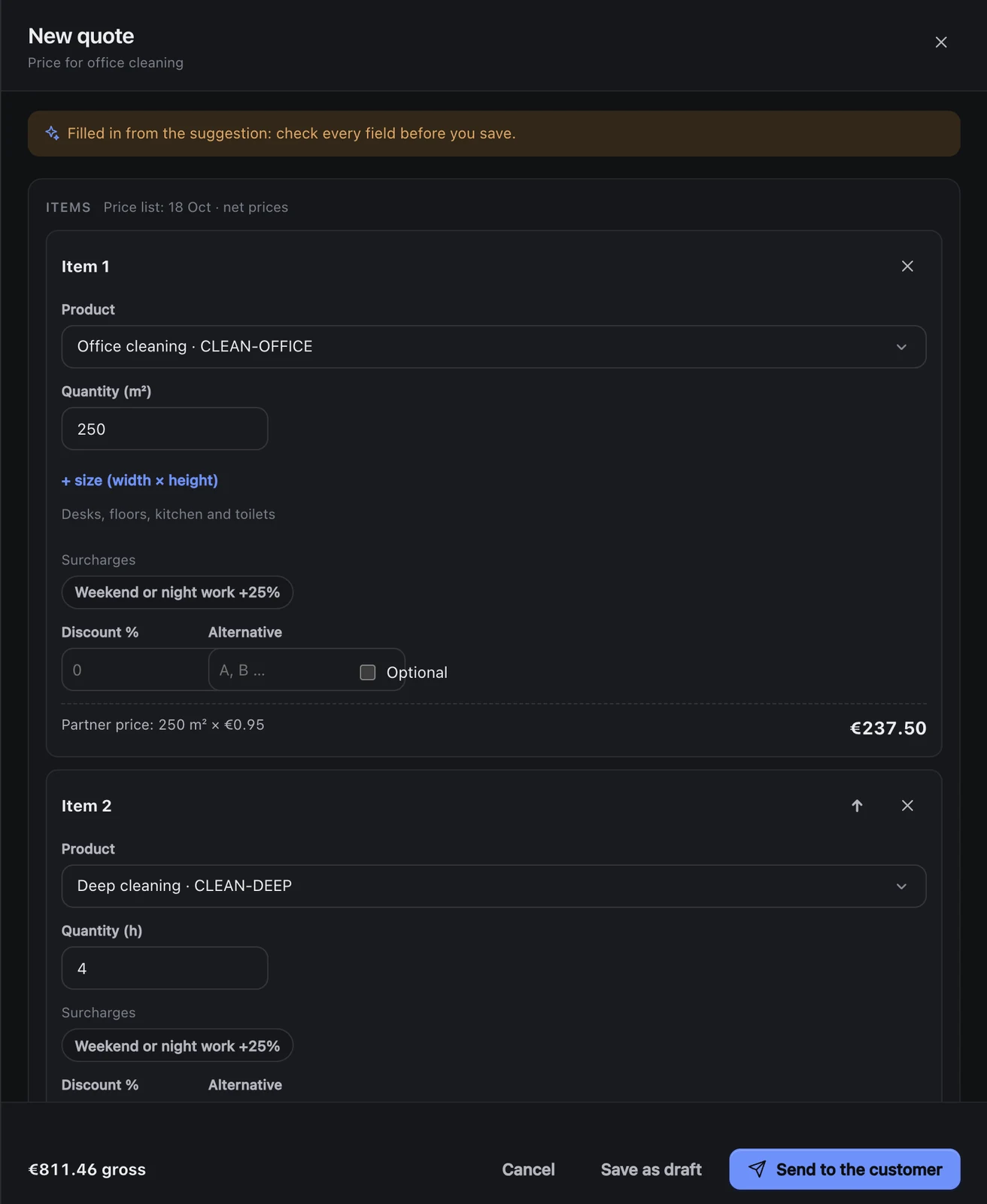
One click opens the quote, already filled in from the request: the products, the quantities, the customer’s price, surcharges and VAT. Change anything you like, then send it in your company’s name.
- Filled in from the request
- Customer prices and surcharges applied
- Options and alternatives the customer can choose
- A low margin or a big discount goes to a manager first
- PDF in your colours and a link to accept online
From the request to the accepted quote
The quoting work that eats your evenings – reading, pricing, writing, chasing – in one place, without handing over your mailbox.
Paste it, or let them ask
Paste a customer’s email: Crowmail finds who it is from and what they ask for. Or share your request link, and requests come straight in.
Reads the request
Crowmail finds the products, sizes and quantities in the request and matches them to your price list.
Never guesses a product
It only picks products from your own list. When a size or a quantity is missing, it asks instead of guessing.
Priced from your list
Any unit – hours, m², visits, items, months. Quantity bands, customer prices, discounts, surcharges, several VAT rates and currencies.
Sent with one click
Check the draft, change what you like, and send it in your company’s name, with a PDF in your colours. Your customer’s answer comes to your usual inbox.
Accepted online
Your customer accepts, asks for changes or declines on the quote page, with their name and order number.
Reminders
A friendly reminder when the customer goes quiet – after 3 and 7 days by default. It stops when they answer on the quote page, or when you switch it off.
From “accepted” to order
An online acceptance becomes an order suggestion with the quoted items, ready for your team.
Quote report
How many quotes you sent, how many were accepted, how fast you answered, and which requests are still waiting.
-
Your requests A request, the matched products and the price, side by side.
-
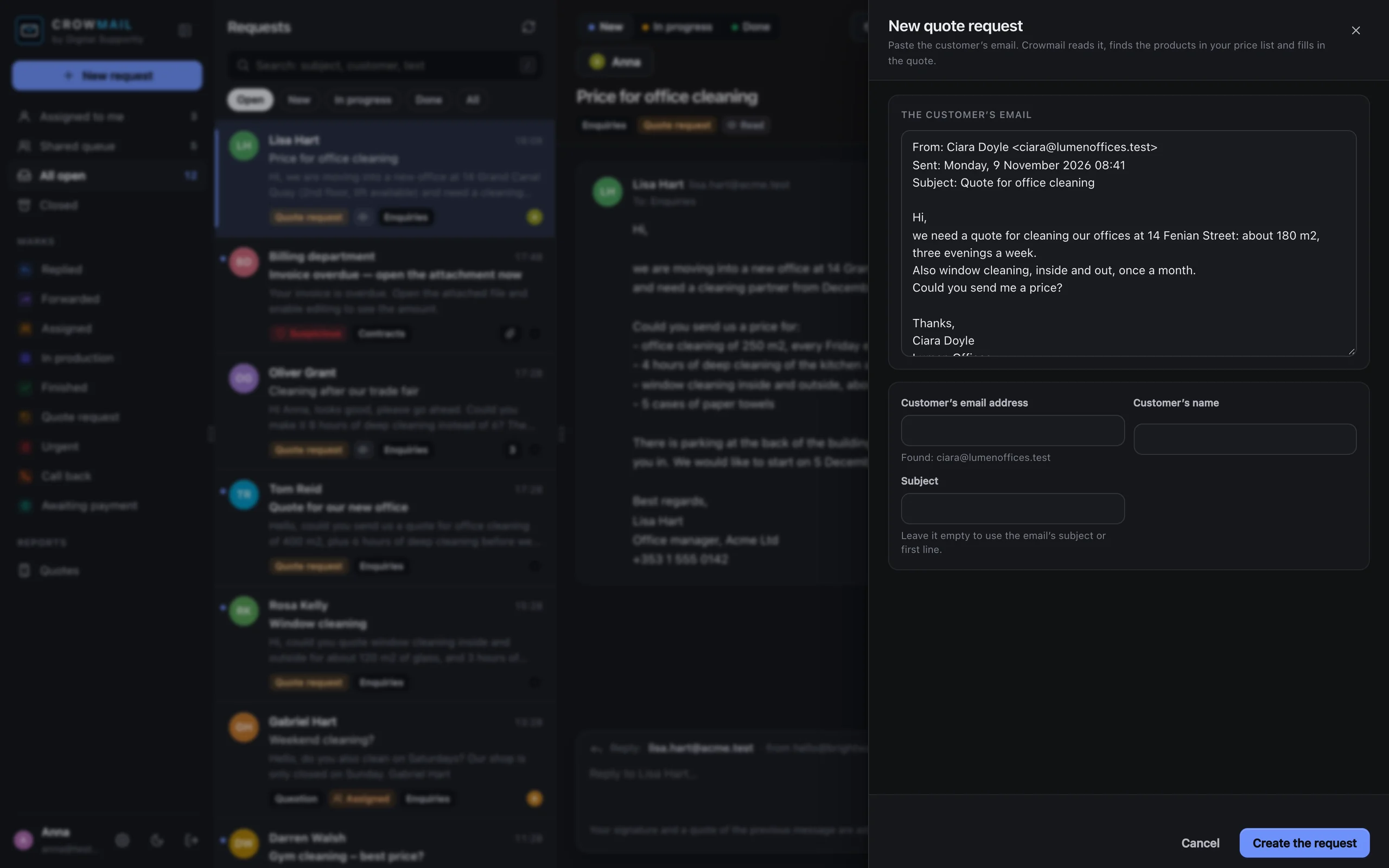
A new request Paste the email – the customer and the subject are found for you.
-
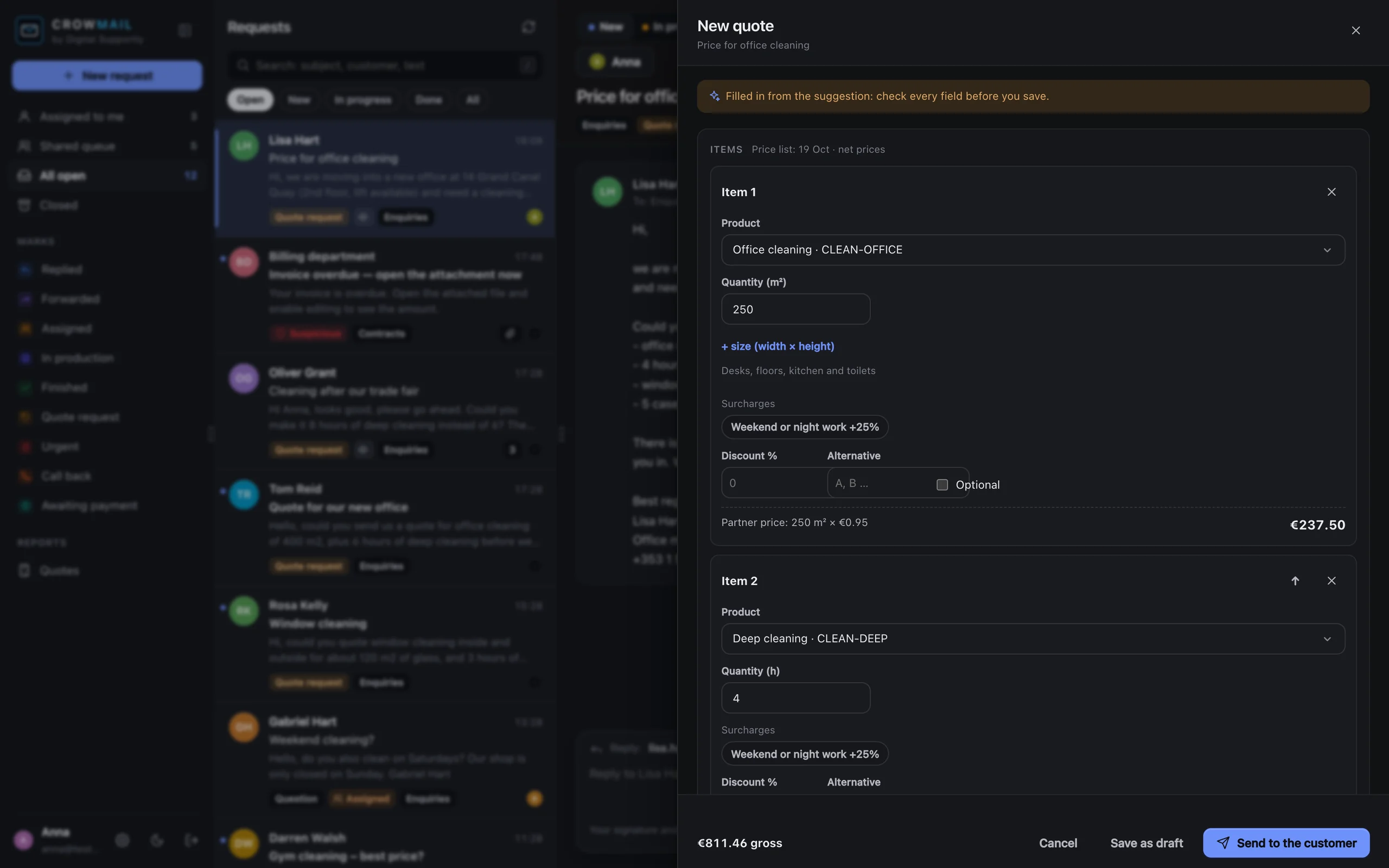
The quote form Filled in from the email – check it, change it, send it.
-
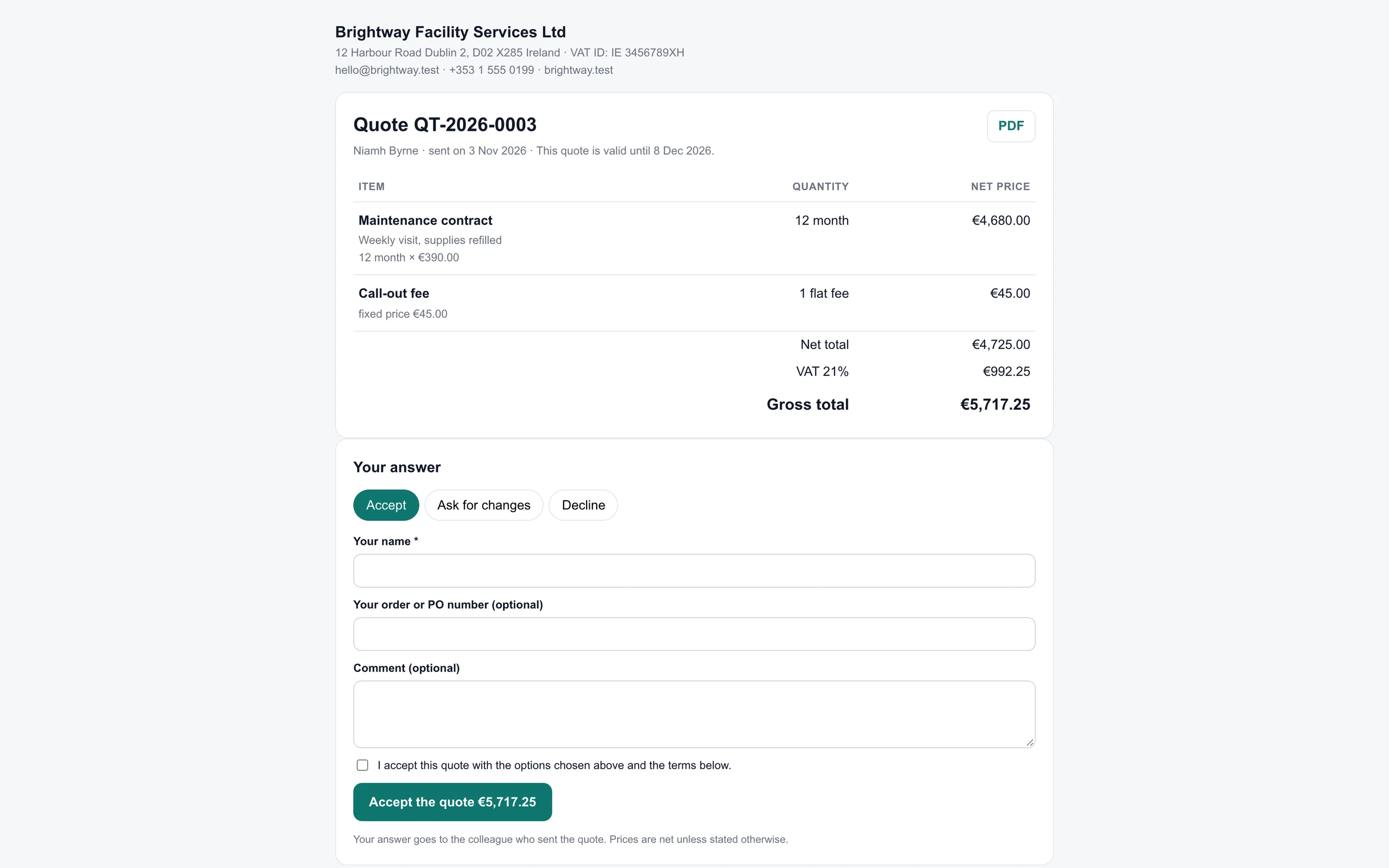
The customer’s quote page Accept, ask for changes or decline, online.
-
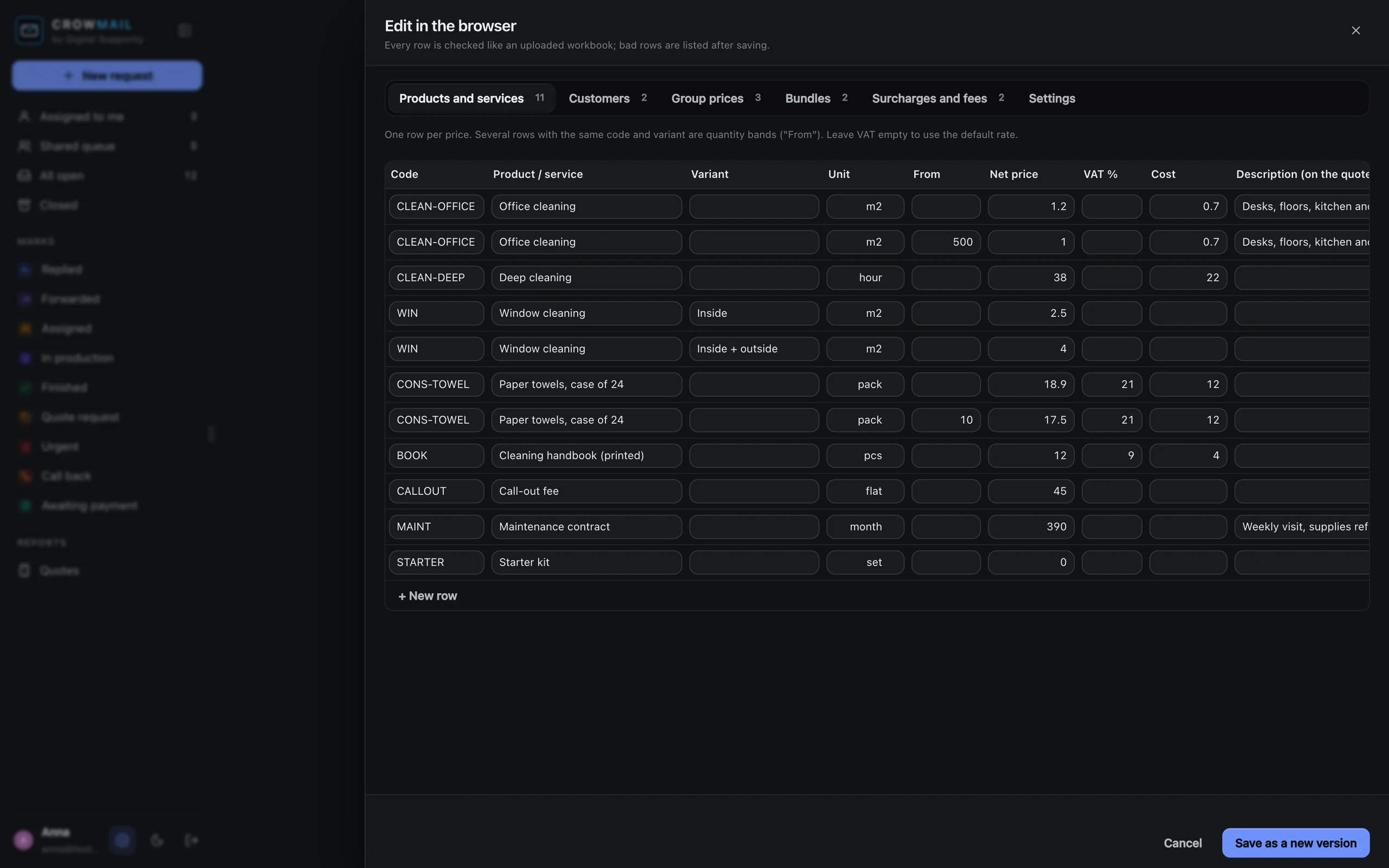
Your price list Edit it in the browser, or keep it in Excel.
-
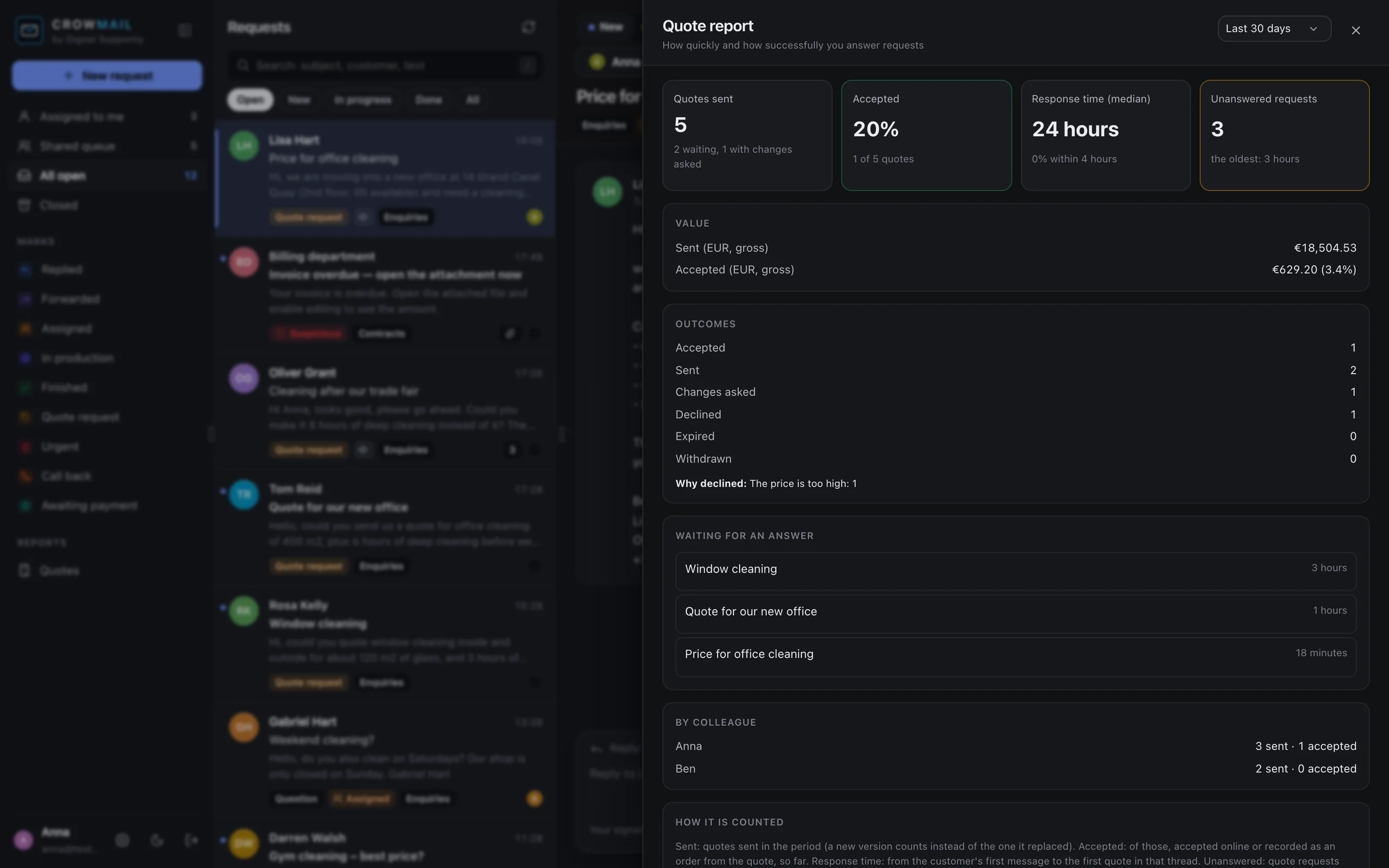
Quote report Win rate, response time and what is still waiting.
Screens from the sample workspace of an invented cleaning company. All names, prices and messages are made up.
What is not there yet
Crowmail is new. This is what it cannot do today, so you can decide whether it fits before you write to us.
Answers by email
When your customer answers the quote email, the answer comes to your inbox, not to Crowmail. Acceptance, change requests and declines on the quote page are recorded.
Attachments
A pasted request is read as text. Requests sent as a PDF, a photo or a spreadsheet still need a person.
Fully automatic sending
Every quote is checked by a person before it goes out. An automatic mode for trusted customers is planned.
A link to the GETCORVIDS CRM
Crowmail is a separate product today. Sending accepted quotes to the CRM is planned.
Deposits and online payment
There is no payment on acceptance yet.
How the trial works
14 days free, set up for you, no card and no calls – everything by email. Early access price for the first 20 companies.
Ask for a trial
Tell us what you sell, how your quote requests arrive and roughly how many you send a month. You get a 14-day trial with sample data – no card, everything by email.
We set up your price list, free
Send your current price list – an Excel file is fine, up to 500 rows. We bring it in and check a few of your real requests against it.
Keep it if it works for you
Then it is €49 a month for the whole team – €39 at the early access price, for as long as you stay. Cancel at the end of any month.
Questions
Can I try it?
Yes, right now and without signing up: the demo shows four invented companies – a cleaning company, a heating and electrical installer, a wholesaler and a print shop. It runs in your browser and sends nothing. The customer’s quote page and the PDF need a server, so they are not in the demo.
Is Crowmail ready to buy?
Yes, in early access: it works today, and we open it to companies one by one, each set up by us by email. The first 20 companies keep the early access price of €39 a month for as long as they stay.
Does it send quotes on its own?
No. Crowmail drafts the quote and a person checks and sends it. An automatic mode for trusted repeat customers is planned, and it will always be your choice.
What does it cost?
€49 a month or €539 a year (11 months), for the whole company – no per-user fees. The first 20 companies get the early access price of €39 a month for as long as they stay. The mailbox add-on (automatic mode) is +€29 a month. A 14-day trial without a card, and we set it up for you free. With Ravenlead: €75 a month. Prices excl. VAT.
Does it use AI?
The recognition works with rules, without sending your emails to an AI service. An optional AI helper for unusual requests is planned, and it would run only in an EU data region.
Does it read my mailbox?
No. You paste a request in, or your customer uses your request link. Quotes go out in your company’s name, and your customer’s answer comes to your usual inbox – Crowmail never needs your mailbox or its password. If you want it to pick the requests out of your inbox by itself, the mailbox add-on (+€29 a month) does that: we set it up with you, and it keeps only the quote requests.
Where is my data?
In the EU (Frankfurt). Only the requests you bring in, your price list and your quotes are stored – not your email.
Which price lists can it use?
An Excel file, a Google Sheets link, or the editor in the browser. Products can have any unit, quantity bands, customer prices and their own VAT rate.
Do I need the GETCORVIDS CRM?
No. Crowmail is a separate product. It works on its own with your price list.
Which languages?
The interface is in English and Hungarian, and each colleague picks their own. A quote goes out in the language of the colleague who sends it.

Spend your evenings on the work, not on the quotes.
A real person replies within 1 business day.